

Updated September 2026
There is no single best Excel to web app converter, because the right tool depends on the job. For a one-person list app on a phone, Google AppSheet at $5 per user per month or Glide from $25 per month wins on speed. For a client portal on top of Airtable, Softr is the standard pick, and Power Apps fits a Microsoft 365 company with IT time. For a process with rules, 5 to 50 users, and no IT department, LlamaPress builds a database app from the workbook that you own. Every tool that keeps the sheet as its database hits a row cap, so check that number before you pick.
In short
- Spreadsheet-front-end builders (Glide, AppSheet, Softr) start fastest and keep your sheet as the database, with caps as low as 2,500 to 25,000 rows.
- Database-first builders (Airtable, Power Apps, Knack, Budibase, Retool) give you a real database, and you rebuild the workbook inside their editor by hand.
- AI code generation (LlamaPress and its agent Leonardo) reads the workbook as the spec and writes a Rails app on PostgreSQL that you own.
- Entry paid prices as of September 2026 run from $5 per user per month (AppSheet) to $22 (Power Apps Premium).
- SpreadsheetWeb is the only tool here that runs your Excel formulas unchanged, and it is the right pick for a public calculator.
I built Leonardo, the AI coding agent behind LlamaPress. More than 400 workbooks have come through our Excel to app converter and become working apps. I sell one tool in this list, so I will name the cases where a competitor beats us.
What is the best tool to turn an Excel spreadsheet into a web app?
The best tool is the one that matches your data size, your user count, and how much logic lives in your formulas. Converters come in three kinds.
Spreadsheet-front-end builders keep the sheet as the database and put screens on top. Glide, Google AppSheet, Softr, Noloco, and Sheet2Site work this way. The sheet stays the source of truth, which is both the strength and the limit.
Database-first low-code builders give you a real database and a screen builder. Airtable, Power Apps, Budibase, Retool, Knack, Caspio, and Zoho Creator sit here. You import the rows once, then rebuild the tabs and formulas inside their editor.
AI code generation is the newest kind. LlamaPress reads the workbook itself and writes a normal web app from it. Lovable, Bolt, and Claude Code also generate code, and they start from a text prompt rather than a workbook.
How we judged
I scored every tool on the same seven questions.
- Input. Excel file, Google Sheet, Airtable base, or a blank canvas?
- Keeps formulas. Do your formulas keep working, or do you rebuild the logic?
- Real database. Records with IDs and row-level writes, or still the sheet?
- Permissions. Which plan gives you user roles?
- Mobile. Does the app work on a phone, offline included?
- Ownership. Can you export or self-host the code?
- Price model. Per seat, per month, per credit, or a one-time build?
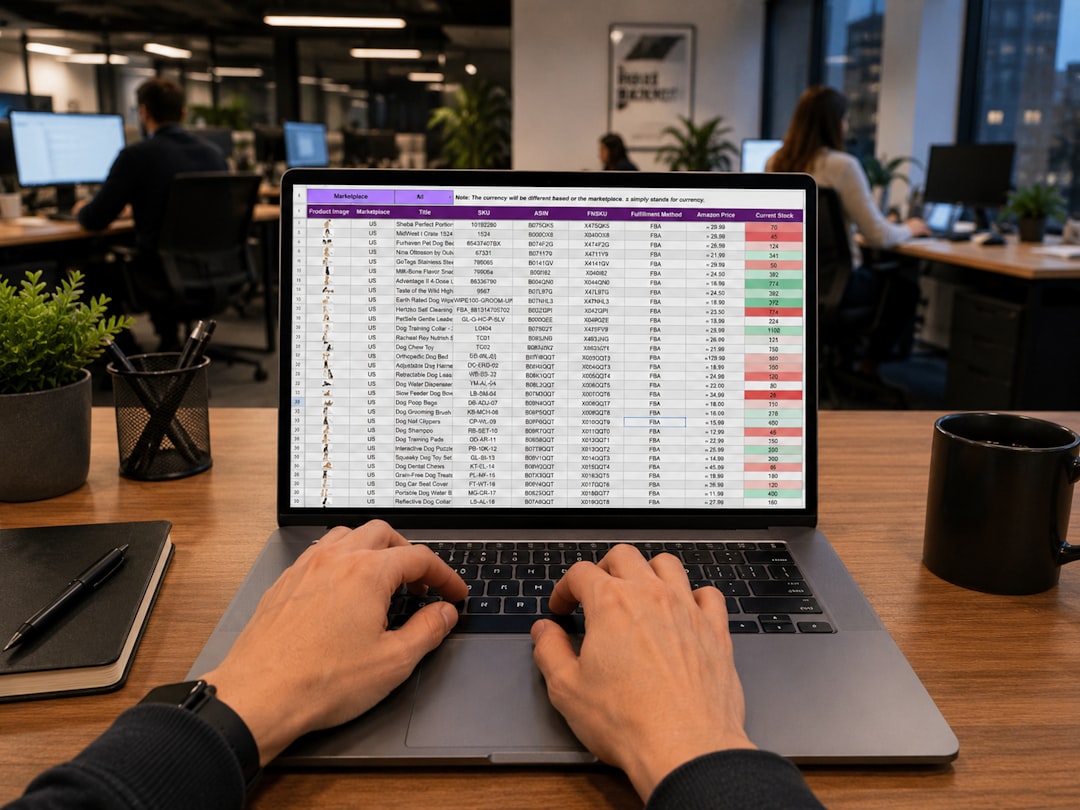
What are the best Excel-to-app converters?
Nine tools cover the market in 2026.
Glide
Glide's current product is GlideOS, built for internal apps from a spreadsheet, a prompt, or a file. Plans run Free, Basic at $25 per month, Plus at $50, and Pro at $125, metered in credits.
The limit is data. Glide's documentation states that spreadsheet data sources have a total cap of 25,000 rows across all tables. Our Glide alternative page covers the switch.
Google AppSheet
AppSheet is the cheapest paid entry here at $5 per user per month on Starter, $10 on Core, and $20 on Enterprise Plus. Excel connectors come on every plan, and every plan works offline.
The built-in database holds 2,500 rows per database on Starter and Core, and there is no code export. For a solo field checklist in a Google Workspace shop, AppSheet is hard to beat. Past that, read our AppSheet alternative page.
Softr
Softr builds portals on top of Airtable, Google Sheets, and its own Softr Databases. Paid plans start at $19 per month on Basic, then $99 on Pro and $329 on Business.
Custom role-based permissions arrive on Pro, per Softr's pricing page. Softr is hosted only, with no code export. If your data already lives in Airtable and you need a client login page this month, Softr is the right pick.
Airtable Interfaces
Airtable is its own database with Interface Designer on top. Team costs $20 per user per month billed annually, and Business costs $45. Airtable charges for every user with edit permission, and read-only collaborators are free.
Airtable's plan documentation lists 50,000 records per base on Team and 125,000 on Business. There is no code export. Our Airtable alternative page explains where the seat pricing bites.
Microsoft Power Apps
Power Apps Premium costs $22 per user per month paid yearly, and the Developer Plan is free. Microsoft's documentation states that Excel data must be formatted as a table, and a workbook with a calculated column cannot be used.
Microsoft also warns against writing to one Excel file from multiple clients at once. So the real path is Dataverse, which means rebuilding the workbook there. Power Apps fits a Microsoft 365 company with an IT admin who has the hours. Without that admin, read our Power Apps alternative page.
Budibase
Budibase is open source, and the self-hosted version is free. Cloud plans run $19 per month on Pro, $49 on Premium, and $299 on Business, plus $5 per end user per month on yearly billing.
Budibase reads Google Sheets, and its documentation says the integration supports only simple table structures with a clear header row. If you have an engineer who wants to host the app, Budibase is a strong choice.
Retool
Retool is a screen builder for engineers, with a Free plan for up to 5 users. Team costs $10 per builder and $5 per internal user per month on annual billing. All plan tiers support self-hosting, and role-based access arrives at Business.
Retool expects a real database behind the app and someone who writes JavaScript and SQL. For a company with developers who need an admin panel fast, Retool is the right tool. For a business owner without a developer, Retool is a poor fit.
SpreadsheetWeb
SpreadsheetWeb, from Pagos, takes the Excel workbook as the input and runs it as-is. Its Hub plans support 501 Excel functions and unlimited anonymous users on every tier. Basic costs $30 per month billed annually.
The limits sit on the workbook size: 0.5 MB on Free and Basic, 1 MB on Pro. For a public pricing calculator that must run your exact formulas, SpreadsheetWeb wins. For a multi-user process with records and history, SpreadsheetWeb is the wrong shape.
LlamaPress (Leonardo)
LlamaPress takes a different route. You upload the .xlsx, .xls, .xlsm, or .csv, free, with no credit card. Leonardo, our AI coding agent, reads the tabs, columns, formulas, and validation rules as the spec and writes a Ruby on Rails app on PostgreSQL. The code lives in your own GitHub repository, and a human engineer reviews every build. Hosted plans start at $9.99 per month, with no seat fees.
We have converted 400+ spreadsheets this way. One steel contractor's estimating workbook became a custom app in 6 weeks. Estimates ran 62% faster at 40% lower cost per estimate. Done-for-you build sprints start at $2,000.
Side by side: prices and limits
All prices are USD list prices as of this writing.
| Tool | Starts from | Entry paid price | Pricing model | Keeps formulas | Real database | Roles tier | Own the code | Best for |
|---|---|---|---|---|---|---|---|---|
| Glide | Excel, Sheets, or a prompt | $25/mo Basic | Per month plus credits | Rebuild in the tool | Sheet (25,000-row cap) or Big Tables | Pro (org-level) | View only, Enterprise | One-person phone app |
| AppSheet | Excel or Sheets | $5/user/mo Starter | Per user | Rebuild as expressions | Sheet or built-in DB (2,500 rows) | Core | No | Solo field checklist |
| Softr | Airtable, Sheets, Softr DB | $19/mo Basic | Per month plus extra users | Rebuild in the tool | Airtable or Softr DB (50,000 records Basic) | Pro | No | Client portal on Airtable |
| Airtable | Excel or CSV import | $20/user/mo Team (annual) | Per editor seat | Rebuild as formula fields | Airtable base (50,000 records Team) | Editor and read-only seats | No | Flexible team database |
| Power Apps | Excel table or Dataverse | $22/user/mo Premium (yearly) | Per user, or $10 per active user per app | Calculated columns block the import | Dataverse (250 MB included) | Premium | No | Microsoft 365 shop with IT |
| Budibase | Sheets, SQL, or built-in DB | $19/mo Pro plus $5/user | Per month plus users, or free self-host | Rebuild in the tool | Built-in (50,000 rows Pro) or your SQL | All tiers (groups on Business) | Yes, open source | Engineers who self-host |
| Retool | Your database (Sheets optional) | $10 builder plus $5 user/mo Team | Per builder plus per user | You write the code | Yours | Business | Self-host on all tiers | Developer-built admin panels |
| Knack | Excel, CSV, or Sheets import | $49/mo Starter (annual) | Per month, unlimited users | Rebuild as equations | Knack DB (20,000 records Starter) | All plans | No (CSV and JSON export) | Big team, small data |
| SpreadsheetWeb | The Excel workbook | $30/mo Basic (annual) | Per month plus named users | Yes, 501 functions | The workbook (0.5 MB on Basic) | Named users only | No | Public calculators |
| LlamaPress | The Excel workbook | $9.99/mo Starter | Per month, no seat fees; builds from $2,000 | Rewritten as reviewed app code | PostgreSQL, yours | Built in | Yes, Rails code in your GitHub | Rule-heavy process, 5 to 50 users |
Sources, checked September 2026: the pricing pages for Glide, AppSheet, Softr, Airtable, Power Apps, Budibase, Retool, Knack, and SpreadsheetWeb. LlamaPress prices are on our pricing page. Bubble and Zoho Creator render prices with JavaScript, so I left them out.
Why the spreadsheet-as-database tools hit a wall
The wall is the sheet itself. A spreadsheet has one grid per tab, no record IDs, and no locking per row. Glide's documentation caps spreadsheet sources at 25,000 rows across all tables. Each tool also meters activity, such as Glide credits or Softr's 2,500 workflow actions per month on Basic.
Two users editing one grid still collide, because the sheet has no idea which row belongs to whom. A spreadsheet-front-end tool makes a great first app and a hard place to run a process with approvals, history, and 20 people.
Why database-first builders cost time
A database-first builder gives you a real database on day one and then hands you a blank canvas. You import the rows, then rebuild every lookup, dropdown, status color, and formula inside the editor, by hand.
That rebuild is where the weeks go. A 12-tab estimating workbook can hold a few hundred formulas, and each one needs rebuilding and testing. Most of these tools also charge per seat: $20 per user on Airtable Team, $22 on Power Apps Premium, $5 per end user on Budibase. Knack is the exception, with unlimited users from $49 per month billed annually and a 20,000-record cap on Starter.
What AI tool can convert an Excel spreadsheet into an app?
LlamaPress is the AI tool built for this exact job, because Leonardo starts from the workbook and treats it as the specification. Lovable, Bolt, and Claude Code start from a text prompt, and the description is where the detail gets lost.
Leonardo reads the file directly. Tabs become tables. Formulas become app logic, and a human engineer checks that logic before the app ships. The output is a Rails app on PostgreSQL in your GitHub, which any Rails developer can maintain. Our page on what the AI reads and what it asks walks through a real upload.

Which converter is best for your job?
These are the verdicts I give when someone asks me directly.
- One-person list app on a phone: AppSheet or Glide.
- Client-facing portal on Airtable: Softr.
- Microsoft 365 shop with IT time: Power Apps.
- Engineers on staff: Retool or Budibase.
- Public calculator that must run exact Excel formulas: SpreadsheetWeb.
- Business process with rules, 5 to 50 users, no IT, and you want to own it: LlamaPress.
If your shortlist is the three no-code tools, our Glide vs Softr vs Airtable vs a custom build comparison goes deeper.
When a competitor is the right pick
Do not pay us for a checklist. A crew lead who needs a job list on a phone, with under 2,500 rows, should use AppSheet at $5 per user. A firm that needs a public quote calculator with its exact Excel formulas should use SpreadsheetWeb. A company with developers should try Retool first. LlamaPress earns its price when the workbook is a process. A process has several tabs, formulas that encode rules, people who each own a step, and errors that cost money.
How Leonardo builds from your workbook
Your workbook already contains the discovery that makes custom builds expensive. The column headers are your data model. The tabs are your tables. The formulas are your business rules. Leonardo reads all of that on upload and asks about the parts a file cannot show, such as who approves what.
From there Leonardo writes a standard Rails app on PostgreSQL. Rows become records with history. Users get logins and roles. A human engineer reviews the build before you see it, and the code sits in your GitHub from day one. The upload at /excel-to-app is free. For the full walkthrough, read how to convert your Excel spreadsheet to a web application without rebuilding from scratch.
Skip the rebuild. Upload the workbook.
Leonardo reads your tabs, columns, and formulas and turns them into a database app you own. Free to try, no credit card, no seat fees.
Prefer to talk first? Contact us and we will look at your workbook with you.
Frequently Asked Questions
What is the best tool to turn an Excel spreadsheet into a web app?
The best tool depends on the job. AppSheet or Glide is best for a one-person list app on a phone. Softr is best for a client portal on Airtable, and Power Apps is best for a Microsoft 365 company with IT time. LlamaPress is best for a rule-heavy process with 5 to 50 users and no IT department, because you own your application code. Leo, the AI agent that builds the app, stays ours: it is open source under AGPL-3.0, with a commercial licence available.
What are the best Excel-to-app converters?
The converters worth a look in 2026 are Glide, Google AppSheet, Softr, Airtable, Microsoft Power Apps, Budibase, Retool, Knack, SpreadsheetWeb, and LlamaPress. The first three keep the sheet as the database. The next five make you rebuild the workbook. SpreadsheetWeb runs the Excel formulas as-is, and LlamaPress writes a Rails app from the workbook.
What AI tool can convert an Excel spreadsheet into an app?
LlamaPress is the AI tool built to convert an Excel spreadsheet into an app. Its coding agent, Leonardo, reads the workbook as the specification and writes a Ruby on Rails app on PostgreSQL that you own. Lovable, Bolt, and Claude Code also generate apps, and they start from a text prompt rather than the workbook.
What are the best no-code tools to turn a spreadsheet into an app?
The best no-code tools for turning a spreadsheet into an app are Glide, Google AppSheet, and Softr. Glide starts at $25 per month, AppSheet at $5 per user per month, and Softr at $19 per month. Each one has a data cap, such as Glide's 25,000 rows across spreadsheet sources, so check the cap against your workbook first.
Is there a free Excel to web app converter?
Yes, several converters have a free tier. Glide has a Free plan, and AppSheet lets you test an app with up to 10 users at no cost. LlamaPress lets you upload an Excel file and see the app free, with no credit card.
Can I convert an Excel file to an app without coding?
Yes, you can convert an Excel file to an app without coding. Glide, AppSheet, Softr, and Knack are drag-and-drop builders, and you rebuild the formulas inside their editor. LlamaPress also needs no coding from you. Leonardo writes the code from the workbook, and a human engineer reviews the code before the app ships.