

Updated September 2026
Yes. An AI coding agent can read an Excel workbook and build a working web app from it, usually within a day. The agent reads your tabs, column headers, formulas, validation lists and color coding. Those become database tables, rules, dropdowns and statuses in the app. The AI cannot know who should log in, which tabs are dead, or which formulas are quietly wrong. A good conversion is therefore a short conversation plus an engineer's review. LlamaPress has converted 400+ spreadsheets this way.
In short
- An AI coding agent reads a workbook's structure and formulas and can produce a working database-backed web app in about a day.
- The AI has to ask you about users and permissions, which tabs are archives, what "done" means, and which formulas are wrong.
- The common failure points are merged header cells, dates stored as text, one Notes column holding five fields, and links to other workbooks.
- LlamaPress pairs the AI with a human engineer and hands you a Ruby on Rails app in your own GitHub, with no per-user fees.
I build the software. I created Leonardo, the AI coding agent behind LlamaPress, and I have watched it read hundreds of workbooks. I have also watched it guess wrong. The wrong guesses follow patterns, and those patterns are what this page is about. If you want a ranking of tools instead, read the best Excel to web app converters compared honestly.
What does AI read from an Excel workbook?
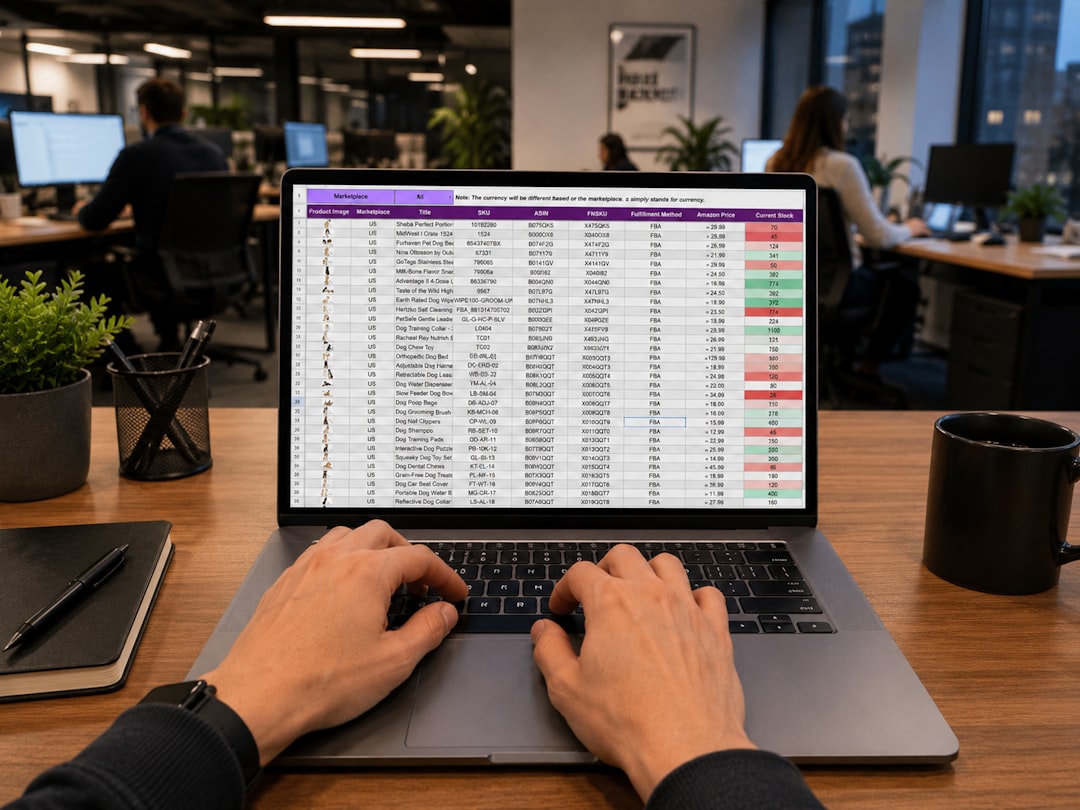
An AI coding agent reads the workbook as a description of your business, and most of that description is structure. The header row of each tab becomes a list of fields. The values under each header tell the agent the data type. A column of 2024-03-14 values becomes a date field. A column holding only Yes and No becomes a checkbox.
Tabs become tables. When the Jobs tab has a Customer column that matches the Customers tab, the agent reads a relationship. Every job belongs to one customer. A VLOOKUP from one tab into another is the same relationship written as a formula.
Formulas become rules. A cell that reads =D7*(1+$B$2) tells the agent that a price is a base cost times a markup stored in one place. The agent moves the markup into a settings table and writes the rule once in code. Validation lists become dropdowns. A column of red, yellow and green cells becomes a status field with a workflow between the three states. Hidden sheets and named ranges get read too. Heavy formulas and VBA macros are covered in whether you can keep your Excel formulas and VBA macros.
What does AI have to ask you?
The AI has to ask about everything the workbook never wrote down. A workbook has no idea who opens it. So the first question is always the same. Who uses this, and what may each person do? An estimator who prices jobs and an owner who approves them see the same tab in Excel. In an app they need different screens and different permissions.
The second question is which tabs are archives. Most older workbooks have a 2022 Backup tab and a Summary tab that only reads other tabs. An agent that treats both as live tables builds a bloated app. The third question is what "done" means. A green cell in column K is a finished job to your team. To the AI that green cell is a color. You name the states and their order, and that list becomes the workflow.
The fourth question is which formulas are known to be wrong. Ray Panko's research at the University of Hawaii found errors in at least 86% of the operational spreadsheets audited since 1997. The audits are summarized in his 2008 review of spreadsheet error studies. Your workbook almost certainly has one, and somebody has been working around it for years. The AI will copy the wrong formula faithfully unless someone says so.
The last two questions are about phones and integrations. Does anyone need the app on site from a phone, and which three screens? Does the app need to send an invoice to QuickBooks? Neither answer is in the workbook. Both change the build.
What does AI get wrong without a human?
The AI gets structure wrong when the workbook was built for human eyes instead of for a machine. Six problems come up again and again. Merged header cells come first. A title that spans columns B to F reads as one field, and the five real columns underneath lose their names. Dates stored as text are second. A column that mixes "14/3/24" and "March 14" is a text field to the AI, and the app cannot sort it by date.
Third, one Notes column often holds five fields. "Called Tues, wants delivery Fri, PO 4471, gate code 1188" is one cell. A good app wants a call log, a delivery date, a PO number and a site access note. Fourth, duplicated customer names. "ACME Ltd", "Acme Limited" and "ACME" are three customers to a machine and one customer to your team.
Fifth, formulas that reference other workbooks. A cell pointing at 'C:\Rates\2024 rates.xlsx' is a link to a file the AI has never seen. Sixth, a summary tab mistaken for data. A Dashboard tab full of SUMIFS looks like a table of numbers. An agent that imports it creates a table of totals that nobody should ever edit. These six are why every LlamaPress build gets an engineer's review before the customer sees it.
What AI tool can convert an Excel spreadsheet into an app?
Three different kinds of AI can convert an Excel workbook into an app, and they produce three very different results. Prompt-to-code tools such as Lovable, Bolt and Claude Code write real code from a description. They are excellent for prototypes, and you end up owning a codebase that you must host and maintain yourself. Our piece on whether Claude Code can build your business app covers what a non-developer should expect.
No-code builders with AI helpers are the second kind. Airtable, AppSheet, Glide and Power Apps use AI to arrange screens over the sheet or a vendor database. You pay per user or per credit. Microsoft's documentation for Power Apps states that Excel data "must be formatted as a table". The same page says that "if your Excel data includes a calculated column, you can't use it to build an app". That rule, in Microsoft's cloud storage connection docs, removes most real estimating workbooks from that route.
The third kind is an AI coding agent working with an engineer, which is how LlamaPress works. Leonardo reads the workbook and writes a Ruby on Rails app on a PostgreSQL database. The code goes into your own GitHub account, and a human engineer reviews the build. Prices in the table are as of this writing, from our pricing page and services page.
| Prompt-to-code tools | No-code builders with AI | AI agent plus engineer (LlamaPress) | |
|---|---|---|---|
| Examples | Lovable, Bolt, Claude Code | Airtable, AppSheet, Glide, Power Apps | Leonardo, reviewed by a LlamaPress engineer |
| What the AI does with the workbook | Writes code from your prompt | Arranges screens over the sheet; calculated columns often excluded | Reads tabs, formulas, validation lists and formatting, then writes the app |
| Where the data lives | A database you set up and host | Vendor cloud; Glide caps spreadsheet sources at 25,000 rows | PostgreSQL on your own instance, exportable on demand |
| What you own | The code, which you must run | A data export; Bubble says apps cannot be exported as code | A Rails app in your own GitHub plus the database |
| Who checks the AI's work | You | You | A human engineer, on every build |
| Price shape (as of this writing) | Tool subscription plus your own hosting | Airtable Team $20/user/month billed annually; AppSheet Core $10/user/month | Hosted plans from $9.99/mo, no per-user fees; build sprints from $2,000 |
Table sources, checked in September 2026: Airtable pricing, AppSheet pricing, Glide's data source docs and Bubble's ownership page. Bubble's manual puts the ownership point plainly. "Bubble apps can only be run on the Bubble platform; there's no way of exporting your application as code."
I will say plainly when the other routes win. A prompt-to-code tool is the better choice if you have a developer on staff and want a prototype this afternoon. A no-code builder is the better choice for a simple list with no formulas that ten people need on their phones next week. The AI agent plus engineer route wins when the workbook holds real business logic and several people depend on it every day.
How a conversion actually runs
A real build for a steel contractor shows the shape of the work. RSB fabricates and erects structural steel and priced every job from one estimating workbook. We rebuilt that workbook's logic as a custom app in 6 weeks from kickoff to deployment. The full story is in how we rebuilt a contractor's Excel logic as an app. The five steps ran in this order.
- Upload and first read. The estimating workbook went to Leonardo through the Excel to app converter. The agent mapped the headers to fields and turned the pricing formulas into rules. A first working app existed within a day.
- The question pass. An engineer and the contractor went through the questions above. Who estimates, who approves, which tabs were old copies, and what a finished estimate looks like.
- Matching the numbers. The team priced real jobs in the workbook and in the app side by side. Every difference was traced to a formula and fixed. This step takes the weeks, and this step makes the app trustworthy.
- Building what the workbook could not do. Logins, saved estimates anyone can search, and revisions kept as versions instead of file copies.
- Deployment and the result. Six weeks after kickoff the team was pricing in the app. Estimates go out 62% faster and each estimate costs 40% less to produce.

How to prepare a workbook so AI gets it right the first time
Twenty minutes of preparation saves a week of corrections. You do not need to rebuild the workbook. You need to remove the ambiguity that trips a machine.
- Put one header in one row. Unmerge the title cells. Give every column a short plain name like Customer, Quote Date or Unit Cost.
- Delete or rename the dead tabs. Remove Sheet3 and Copy of Jobs. Rename an old backup to ARCHIVE 2022 so the agent knows to skip it.
- Make dates dates. Apply one date format to each date column. If Excel refuses to format a cell, that cell is text and needs a fix.
- Add a Roles tab. List each person who uses the workbook and what they do in it. This one tab answers the biggest question the AI would otherwise ask.
- Mark the known-wrong cells. Add a comment on any formula your team works around, and say what the right rule should be.
The full sequence is in how to turn an Excel spreadsheet into a web app step by step.
What AI should not be trusted with alone
Some workbooks should never go from AI straight to production without a person checking every rule. Financial models are the first group. A cash flow model has a dozen formulas where a wrong sign costs real money. An AI converts a wrong formula as confidently as a right one. Compliance rules are the second group. If a workbook enforces a safety limit or a tax rate, a human needs to read the converted rule and sign off.
The engineer also stays in the loop for a less obvious reason. The AI gets the app right once. The business changes every quarter. Someone has to read the new rule, check the old data, and decide what the change breaks. Our earlier piece on why an AI app builder is the only practical way to replace a spreadsheet made the case for the tool. This page is the case for the person next to it.
How to use AI to turn a spreadsheet into an app
Treat your workbook as the spec. Hand it to an AI that reads Excel files as structure rather than as a picture. You upload the workbook at the Excel to app page, with no credit card and no cleanup required. Leonardo reads the tabs, the headers, the formulas, the validation lists and the color coding. The agent writes a Ruby on Rails app on a PostgreSQL database, with a table for every live tab and a rule for every formula. The first version usually exists within a day.
Then the conversation starts. An engineer walks through the questions with you, fixes what the AI could not know, and checks the numbers against the workbook. The code lands in your own GitHub repository. Hosted plans start at $9.99 a month with no per-user fees, and build sprints start at $2,000, as of this writing.
Find out what AI reads in your workbook.
Upload the workbook that runs your process. Leonardo reads the tabs, formulas and dropdowns and builds a first working app. An engineer reviews it with you.
Prefer to talk first? Contact us and we will look at your workbook with you.
Frequently Asked Questions
Can AI build a web app from my Excel workbook?
Yes. An AI coding agent reads the tabs, headers, formulas, validation lists and color coding in an Excel workbook. From those it generates a working database-backed web app, usually within a day. The AI cannot know your roles or which formulas are wrong, so an engineer reviews the build with you.
What AI tool can convert an Excel spreadsheet into an app?
Three kinds of AI tool can convert an Excel spreadsheet into an app. Prompt-to-code tools like Lovable, Bolt and Claude Code write code you must host yourself. No-code builders like Airtable and AppSheet arrange screens over a vendor database and charge per user. LlamaPress pairs an AI coding agent with a human engineer and hands you a Rails app in your own GitHub.
How do I use AI to turn a spreadsheet into an app?
Upload the spreadsheet to an AI that reads structure, such as the LlamaPress Excel to app converter. The AI turns each live tab into a table and each formula into a rule. Then answer what the file cannot say: who uses the app, which tabs are archives, and what a finished record is.
Is there an AI that reads Excel files and builds a database?
Yes. Leonardo, the AI coding agent at LlamaPress, reads Excel files and builds a PostgreSQL database from them. Each live tab becomes a table, each column becomes a typed field, and cross-tab lookups become relationships between tables. The database and the app code both belong to you.
Will AI understand my formulas?
AI understands standard Excel formulas well, including SUM, IF, VLOOKUP, XLOOKUP and SUMIFS. The AI converts each formula into a rule in the app. AI cannot tell a wrong formula from a right one, so the engineer checks the converted rules against real examples from your workbook.
Do I still need a developer if AI builds the app?
You still need a developer to review what AI builds, and LlamaPress includes one on every build. The developer answers the questions the workbook never wrote down and checks financial and compliance rules by hand. You do not need a developer on your own staff.